

DeepSeek V4 Flash
Fast general chat
Chat readyMaciPhone
Mac: macOS 15 or later on Apple silicon, and it updates itself. iPhone: through TestFlight, iPhone 15 Pro or later on iOS 18.
- Download Minirun
- Models > Find Models — pick DeepSeek V4 Flash
- Verify all files
- New chat
About
DeepSeek's mixture-of-experts text model, packaged for Minirun. It is the one to start with: the smallest container that still answers like a large model, and the quickest to a first reply on both Mac and iPhone.
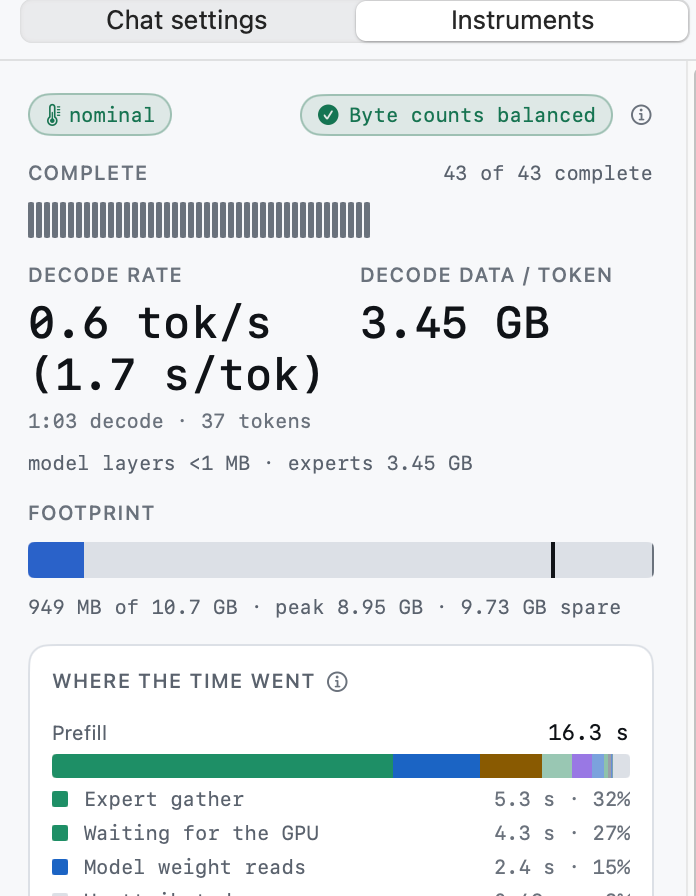
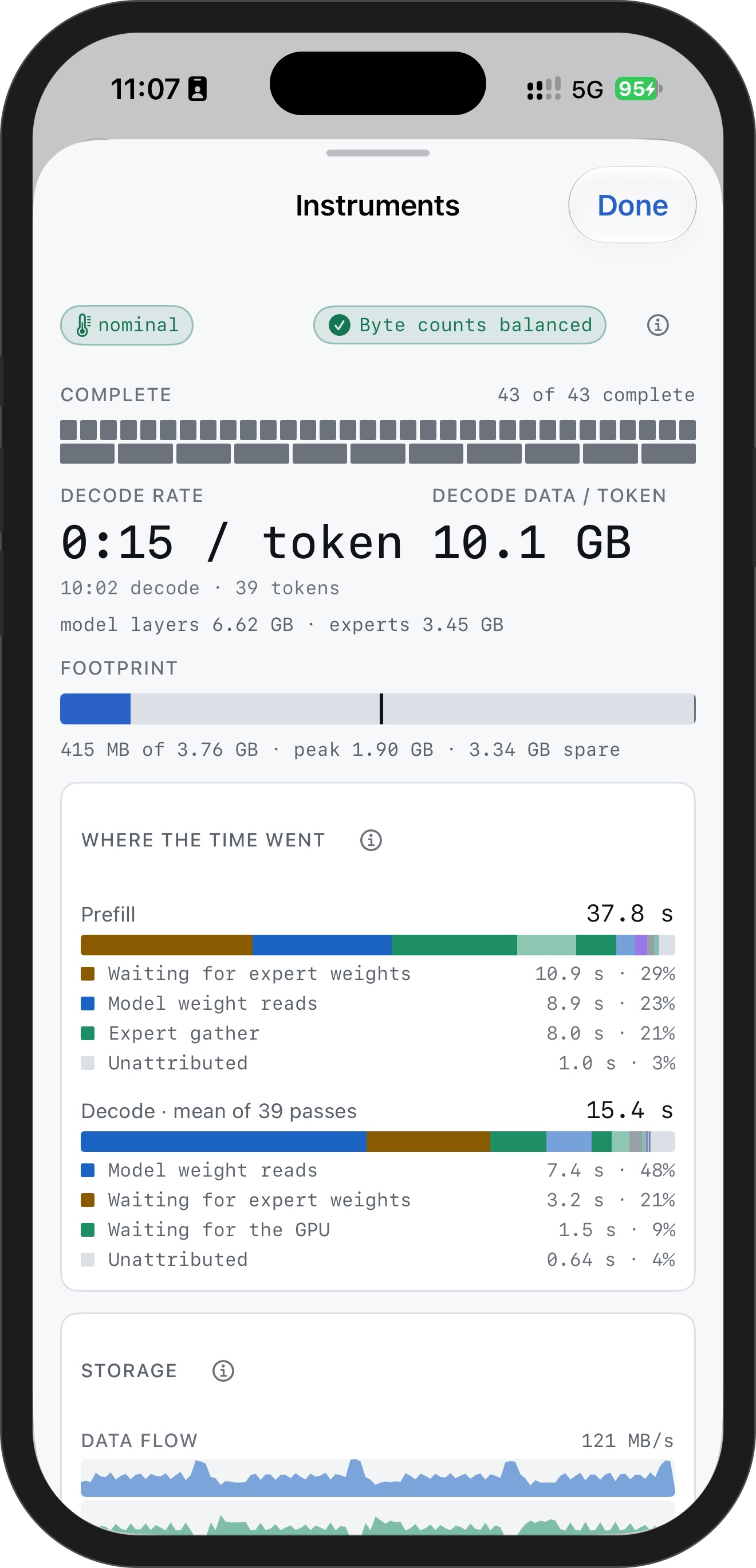
On a Mac it answers at about 1.7 s / token at the 10.7 GB Balanced budget. On an iPhone 16 Pro: about 15 s / token at 3.8 GB, and it runs at 2 GB. The pace depends on the drive, the cable and the budget.
What you need
About 2.0 GB of memory on Mac, 2.0 GB on iPhone 16 Pro, and 167 GB free on your SSD.
Model requirementsTechnical details
- Stored precision
- FP4 experts · FP8 matrices · BF16/F32 remainder
- Container size
- 167 GB
- License
- MIT
- Repository
- nanguoyu/DeepSeek-V4-Flash-0731-minirun
- Source model
- deepseek-ai/DeepSeek-V4-Flash-0731