Run models larger than memory.
Chat with open models bigger than your device’s memory. Weights stream from your SSD through a memory budget you set. Free, local, on Mac and iPhone.
Mac: macOS 15 or later on Apple silicon, and it updates itself. iPhone: through TestFlight, iPhone 15 Pro or later on iOS 18.
Bigger than memory.
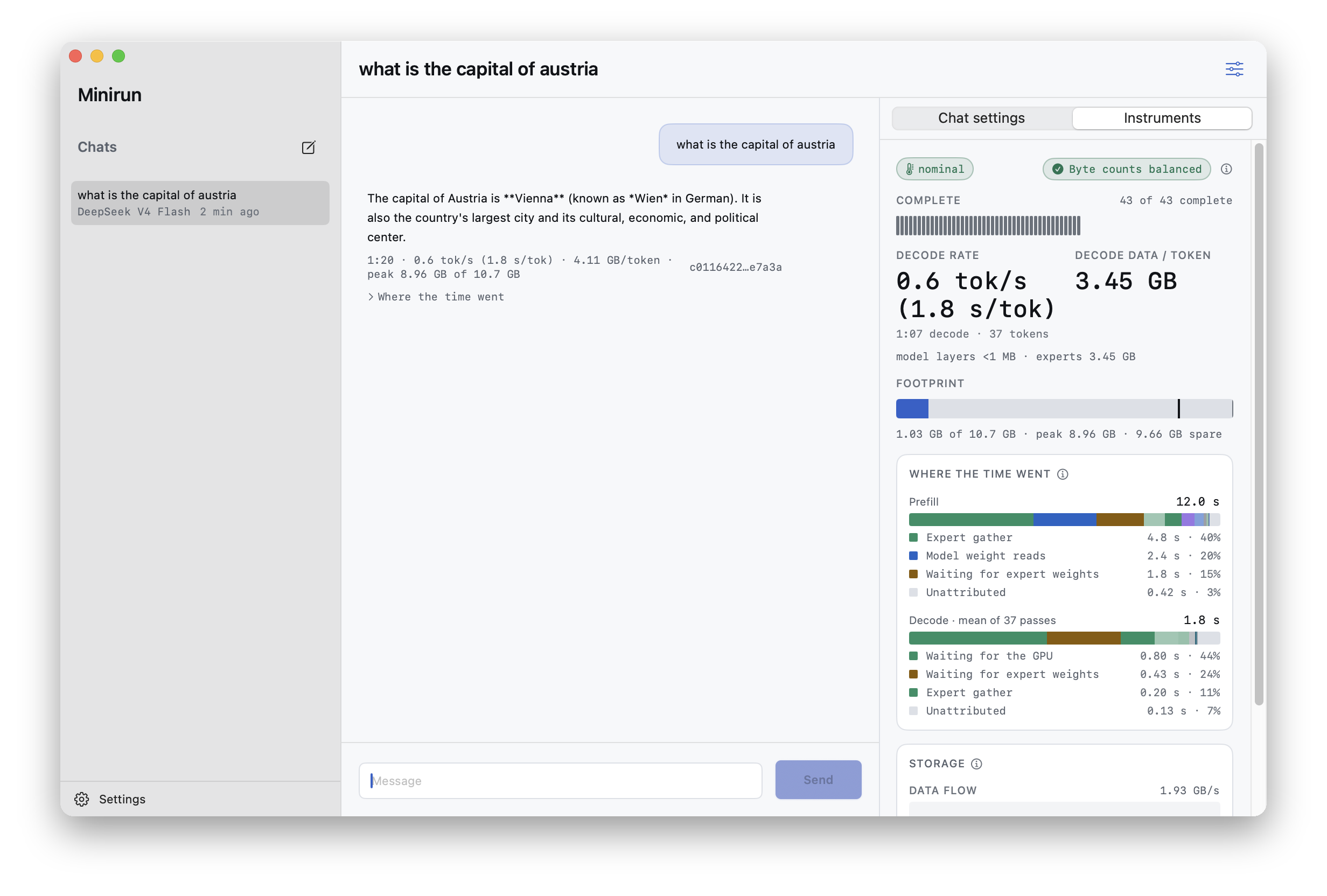
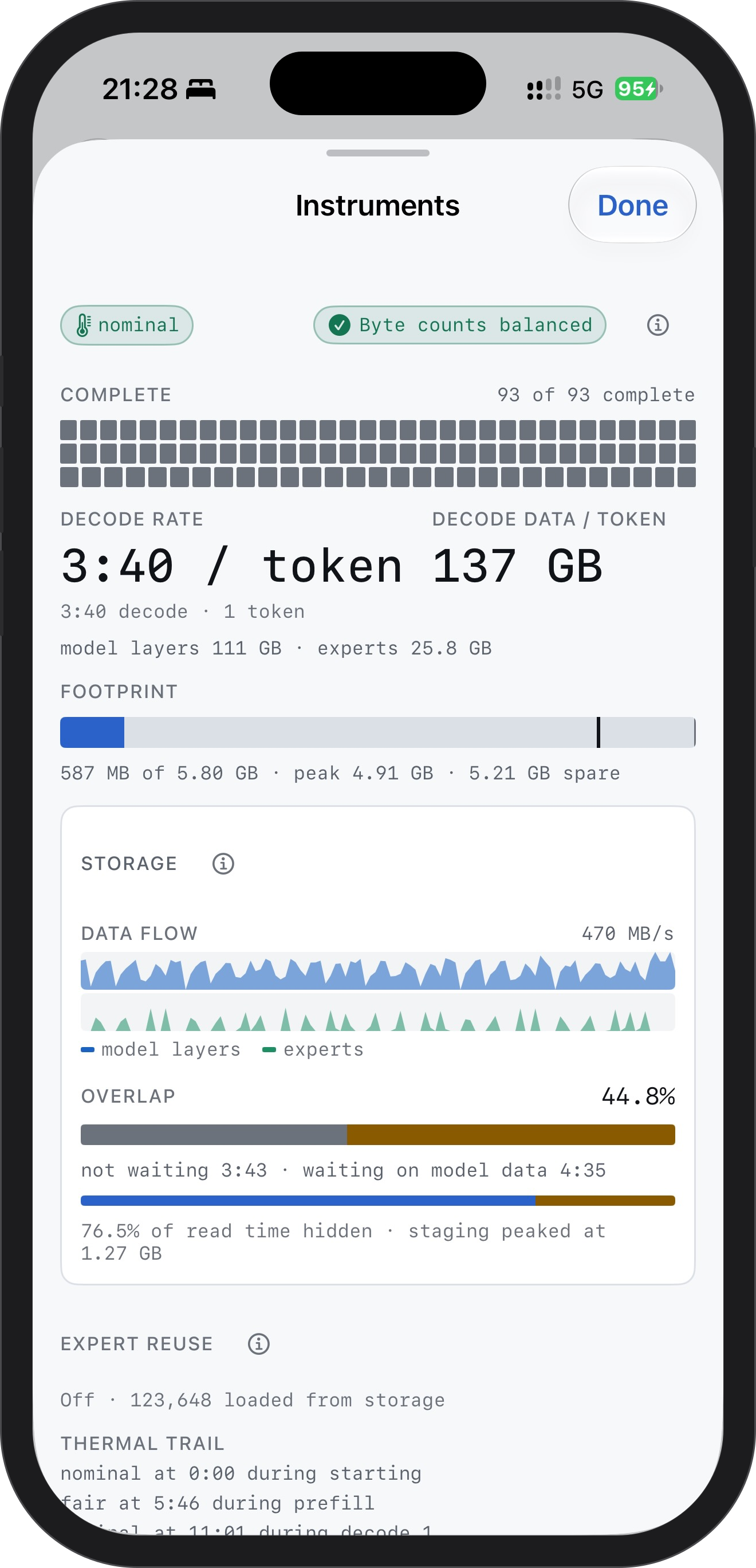
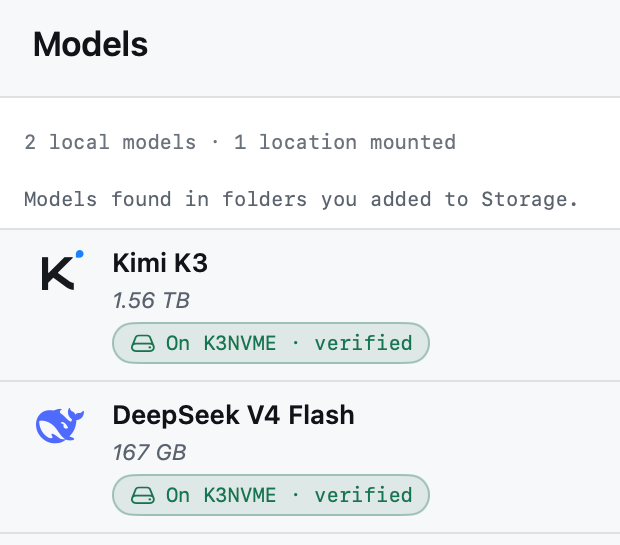
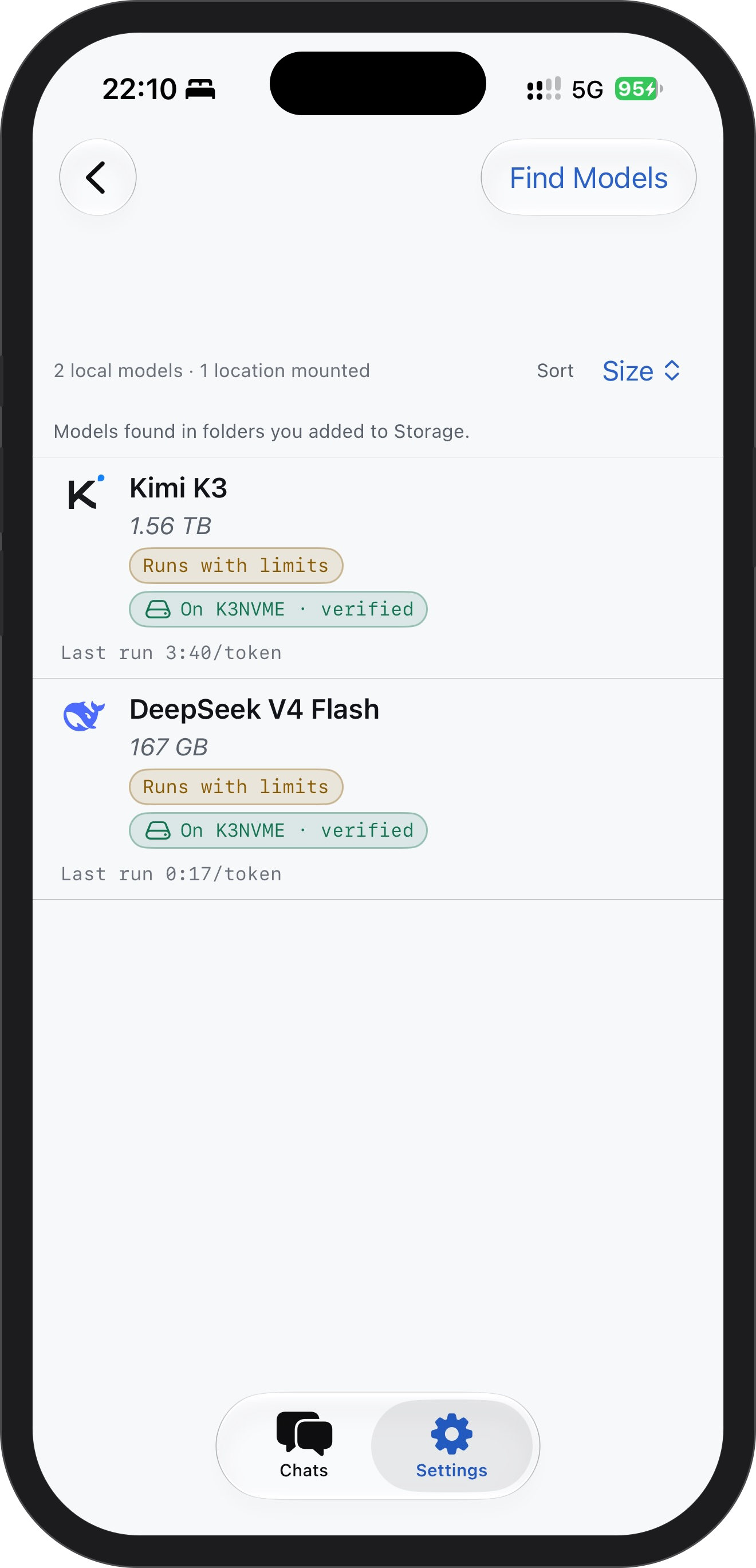
Kimi K3 is 1.56 TB and runs on an iPhone 16 Pro. DeepSeek V4 Flash, 167 GB, chats on a Mac. The model stays on your SSD.
Browse all models
Set a memory budget.
Pick Floor, Balanced or Generous, or drag the dial. Minirun holds what fits and streams the rest, with memory checks during execution.
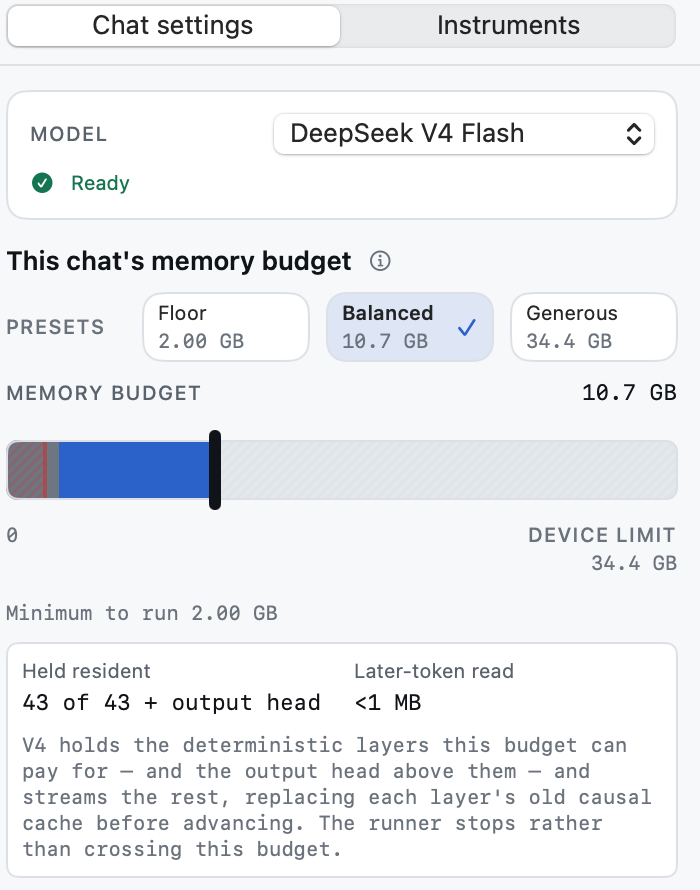
Runs from your SSD.
Add a folder on an external NVMe drive. Minirun finds the models in it and streams their weights straight off it, on Mac and iPhone.
How storage works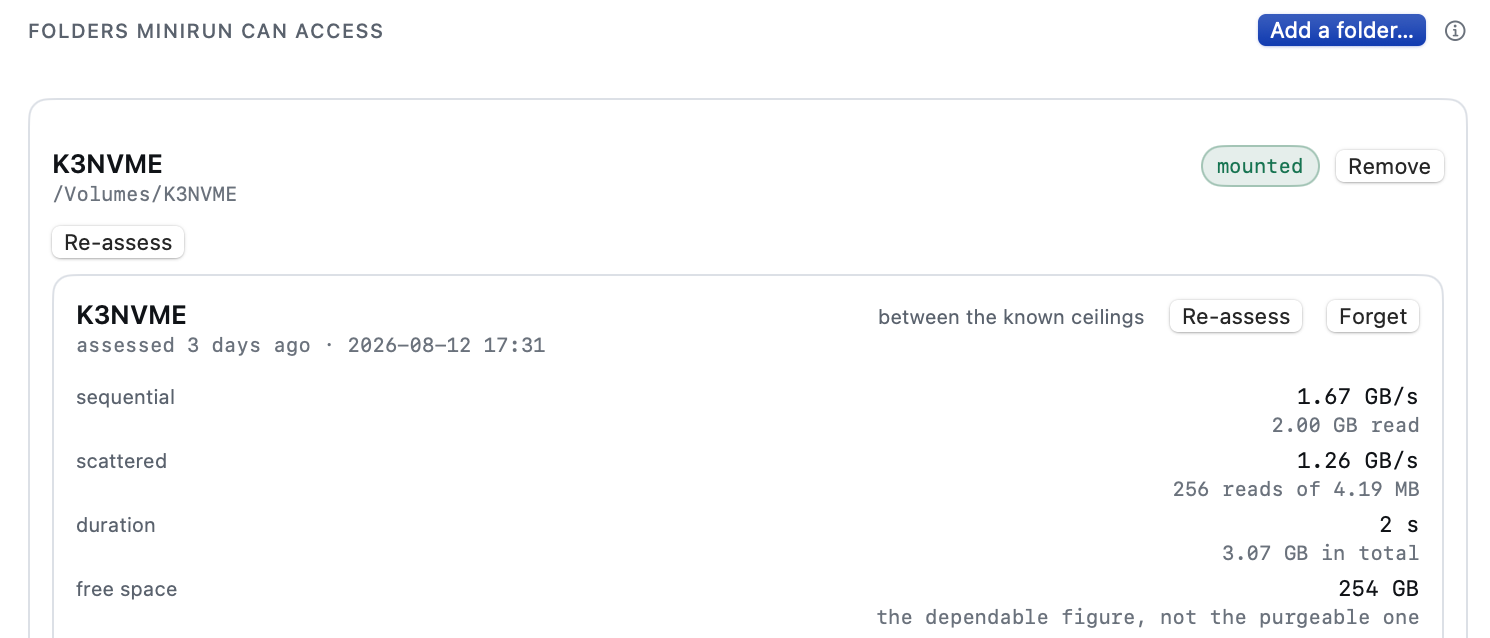
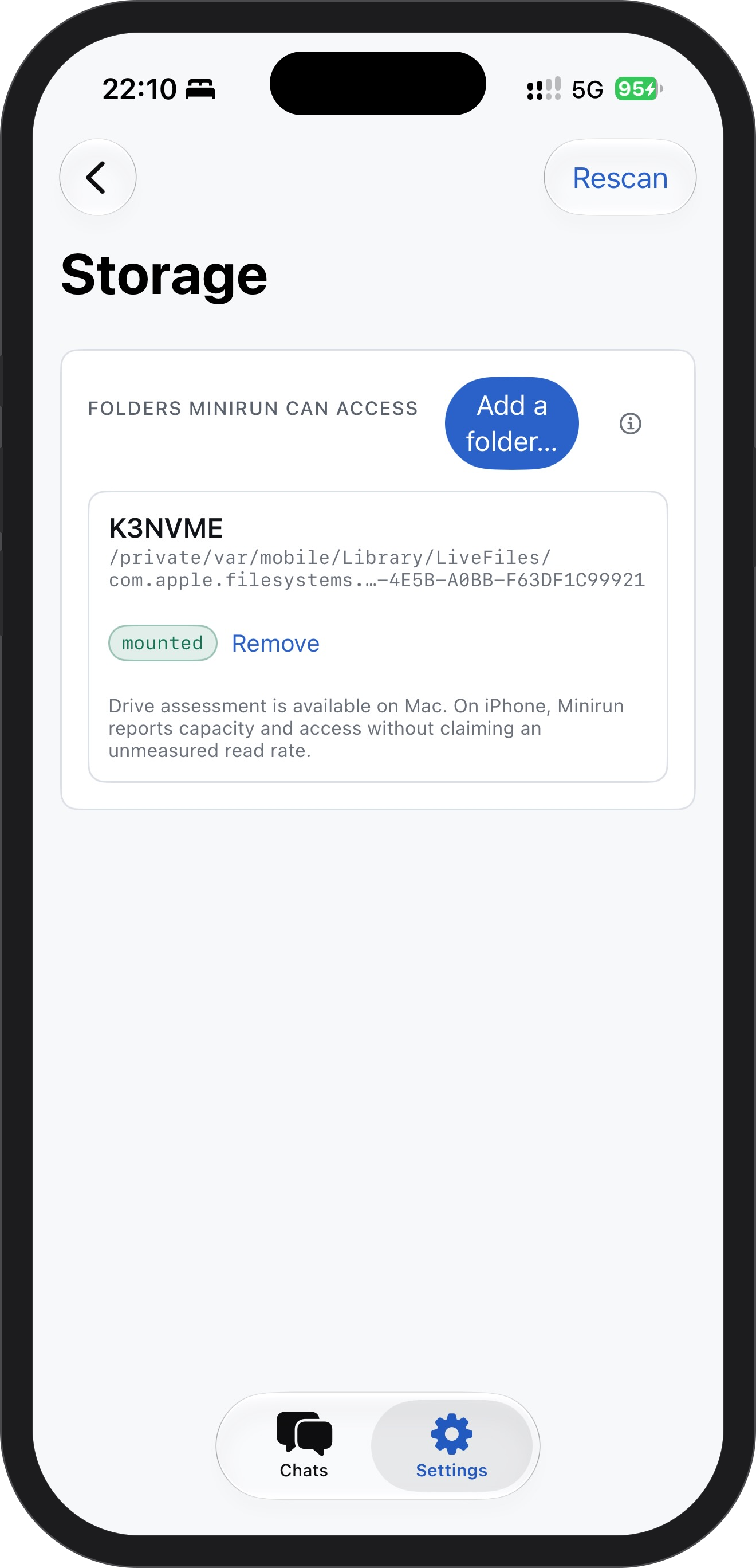
Watch every token.
Instruments shows the decode rate, the data read per token, the footprint against your budget, and the flow from storage, live while the model answers.
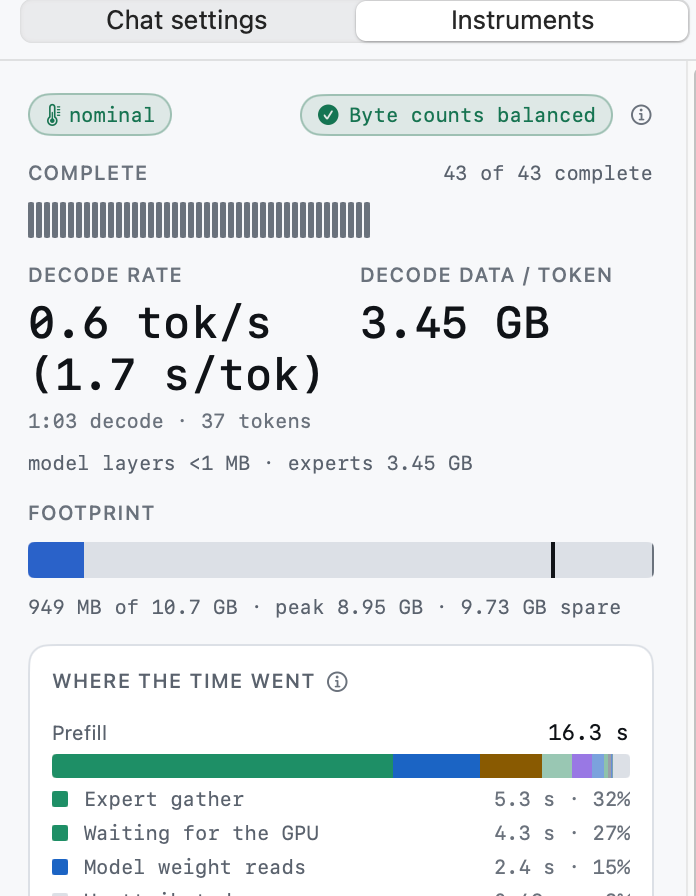
One library, both devices.
Models you keep on the drive show up in the app on Mac and iPhone alike. Find new ones from Hugging Face without leaving the app.
Everything stays on your device.
Prompts, answers and weights never leave your Mac or iPhone.
Free and open.
Both apps are free, and the source is on GitHub.
Always current.
The Mac app updates itself; new models appear in the app’s Find Models.
Get Minirun.
Mac
Apple silicon. Downloads as a disk image and updates itself.
Download for MacmacOS 15 or later · 11 MB
iPhone
Through TestFlight. Free, no account beyond your Apple ID.
Get it for iPhoneiOS 18 or later · iPhone 15 Pro or later
More from the author
Two other Mac apps, made the same way: on-device, private, yours.
OtterPix
On-device image AI toolkit for Mac. Convert, compress, crop, and watermark — plus AI generate, upscale, cut out, erase, anonymize, and face-restore, all running locally with no cloud uploads.
macOS 14+ · Apple silicon

DuDuReminder
An elegant menu-bar reminder app for macOS with iCloud sync, quick actions, and a privacy-first design — your reminders stay in your own Apple account.
macOS 13+